
 Send Inquiry
 Call Us:-
08045812451
Call Us:-
08045812451



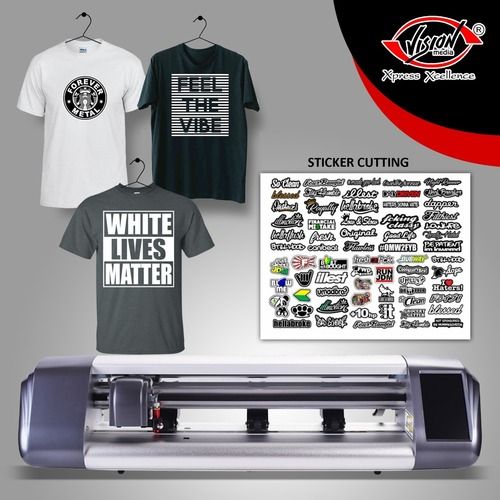
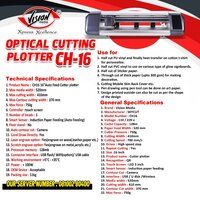
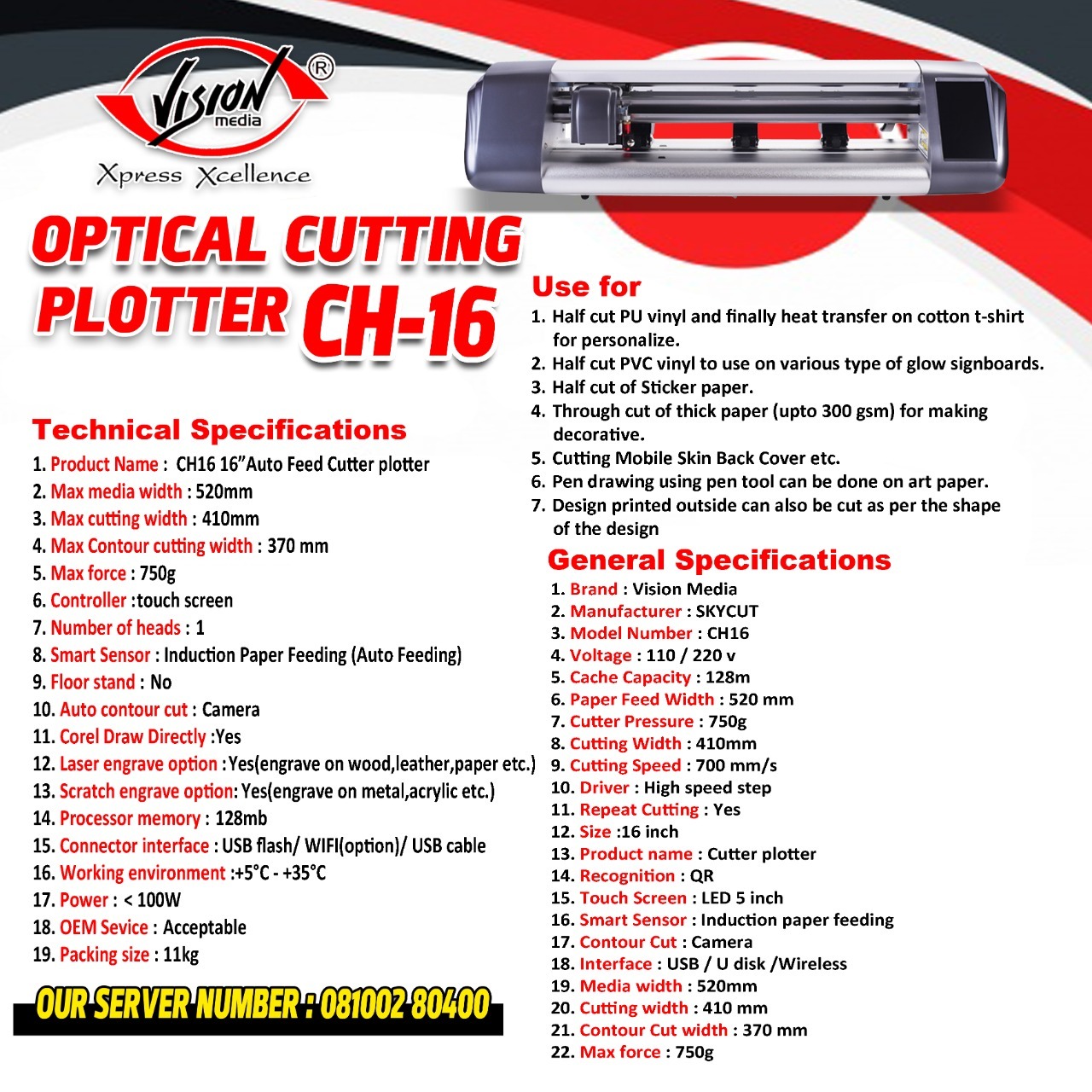
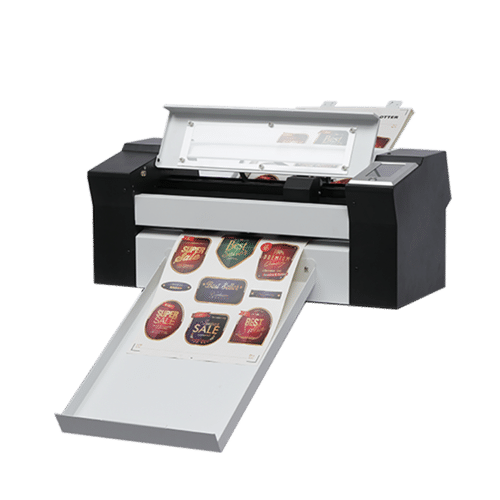
Skycut Plotter CH16
28000 INR/Piece
Product Details:
- Drive Motor Stepper motor
- Product Type Cutting Plotter
- General Use For cutting vinyl, sticker, reflective film, paper, card, and sheet materials
- Material PVC, Vinyl, Cardboard, Reflective film, Sticker, Paper
- Type Automatic Vinyl Cutting Plotter
- Capacity High efficiency, up to 2000 cutting jobs/day
- Weight (kg) 37 kg
- Click to View more
X
Skycut Plotter CH16 Price And Quantity
- 1 Unit
- 28000 INR/Piece
Skycut Plotter CH16 Product Specifications
- PVC, Vinyl, Cardboard, Reflective film, Sticker, Paper
- High efficiency, up to 2000 cutting jobs/day
- Compatible with Windows OS, Includes SignMaster, support for CorelDraw, Adobe Illustrator plugins
- Automatic Vinyl Cutting Plotter
- Vinyl, sticker, reflective film, cardboard, paper
- 1630mm (W) x unlimited (L)
- For cutting vinyl, sticker, reflective film, paper, card, and sheet materials
- 0.01mm-1mm (Varies with material)
- Grey and Orange
- 37 kg
- Natural air cooling
- Digital, LCD touch screen
- 0.001mm
- High precision contour cutting, copy function, repeat cut, multiple cutting modes
- Yes
- 1930mm x 330mm x 420mm
- Touch screen LCD, WiFi connectivity, USB & U disk support, multi-interface operation, real-time progress display
- AC 110V/220V, 50/60Hz
- Cutting Plotter
- Drag knife, automatic contour cut
- Stepper motor
- Stepper motor
- 60-800mm/s adjustable
- Yes
- Stepper motor
- 5C 35C, humidity 35% 80% RH
- Heavy-duty metal stand included
- USB, Wi-Fi, U-disk, and Serial
- 60 dB (A)
- Maximum 120W
- 45/60 standard blades
- Skycut CH16 main unit, standard blades, blade holder, pen holder, cables, software CD, user manual
- 0.082mm
- Windows XP, Vista, 7, 8, 10
- Laser optical eye
- Support for optional plotting pen
- 1750mm
- Sign making, garment pattern cutting, graphics, car stickers, logo, label cutting
- 7-inch full color touchscreen LCD
- 128MB
Skycut Plotter CH16 Trade Information
- Cash Advance (CA)
- 10 Unit Per Day
- 1 Days
Product Description
Specification
| Supported Media width | 520mm |
| Print Application | cutting media like pvc, pu, paper, sticker |
| Printing Speed | 700mm/s |
| Imaging technology | Camera / Sensor |
| Product description | Cutting Plotter |
| Model Name/Number | CH-16 |
| Brand | SKYCUT |
Intuitive Touchscreen Operation
Experience effortless control with the Skycut CH16's 7-inch full color touchscreen LCD. The friendly interface allows users to manage jobs, track progress in real time, and choose various cutting modes quickly. Real-time display enhances workflow clarity, reducing job errors and increasing efficiency, even for beginners.
Versatile Connectivity Options
The CH16 offers exceptional connectivity: choose between USB, Wi-Fi, U-disk, or Serial interfaces to suit any production environment. This ensures seamless integration with different setups, making file transfer and operation convenient and flexible for both small studios and large workshops.
High Precision and Efficiency
Achieve impeccable cuts with 0.001mm mechanical precision and a cutting thickness range adaptable to vinyl, paper, cardboard, and reflective film up to 1mm. High repeatability, adjustable speeds, and the capacity to handle up to 2000 jobs daily empower users to meet demanding production schedules with minimal error.
FAQ's of Skycut Plotter CH16:
Q: How do I connect the Skycut CH16 to my computer or network?
A: You can connect the CH16 via USB, Wi-Fi, U-disk, or Serial interface. Drivers and compatible software (SignMaster, CorelDraw and Illustrator plugins) are included. Simply select your preferred connection method for easy setup in Windows XP, Vista, 7, 8, or 10.Q: What types of materials and thicknesses can the Skycut CH16 cut?
A: The CH16 is built for versatile material handling, including vinyl, sticker, reflective film, cardboard, and paper, cutting thicknesses from 0.01mm to 1mm, depending on the material and blade used.Q: When is it best to use the copy or repeat cut functions?
A: The copy and repeat cut features are ideal when producing multiple copies of the same design, such as labels or decals. These functions increase productivity and ensure consistent outputs, especially useful for mass production situations.Q: Where should the Skycut CH16 be installed for optimal performance?
A: Install the CH16 in a well-ventilated area with a temperature range between 5C and 35C and humidity levels from 35% to 80% RH. Ensure stable power (AC 110V/220V, 50/60Hz) and space for its 1930 x 330 x 420mm dimensions with the heavy-duty stand.Q: What is the setup process for the Skycut CH16 out of the box?
A: Unpack the main unit, mount it on the included metal stand, connect the necessary cables, install blades or pen as required, and load the software from the provided CD. User manuals offer step-by-step guidance to get started quickly.Q: How does the laser optical eye media sensor benefit my cutting jobs?
A: The built-in laser optical eye enables high-precision contour cutting by detecting registration marks, ensuring your graphics are cut accurately to shape-even with complex patterns.Q: What are the main advantages of using the Skycut CH16 in professional applications?
A: With its robust build, broad material compatibility, multi-interface support, precise control, and large cutting area, the CH16 improves workflow efficiency, accuracy, and project versatility, making it invaluable for signmakers, designers, and fabricators alike.Tell us about your requirement

Price:
Quantity
Select Unit
- 50
- 100
- 200
- 250
- 500
- 1000+
Additional detail
Mobile number
Email

Other Products in 'Plotter Cutting Machine' category



"We are dealing only in bulk order quantity."
VISION MEDIA (CALCUTTA) PVT. LTD.
GST : 19AAACV9898E1ZM
GST : 19AAACV9898E1ZM

- 43/7, M. G. ROAD, 2ND FLOOR,Kolkata - 700009, West Bengal, India
- Phone :08045812451

- Mr Prakash Bengani (Director )
- Mobile :08045812451
Chennai Office Address:
159 , Ground Floor , Avvai Shanmugam Salai,
Opp. AIADMK Office , Royapettah , Chennai - 600 014Additional Address:
Corporate Address: 166, Muktaram Babu Street 1st Floor,KOLKATA 700007 (near M.G. Road Metro Station or Ram Mandir Crossing)
43/7, Mahatma Gandhi Road. Kolkata- 700009
(Near Amherst St. Crossing)
Guwahati Branch Office:
A.K. Dev Road, Opposite HP Petrol Pump, Ganeshpara, Guwahati - 781025.
Call - +91 9085007777
Andaman Branch Office :
No. 05, BJP Bhawan, Middle Point,
Port Blair - 744101, Andaman, India
Contact Person : Mayukh Dutta
Call :- +91 9933224555
Telengana Branch Office:
1-7-284 to 293, Shop No. G/18, Gr. Floor, Jade Arcade,
Kalasiguda, M.G.Road, Paradise, Secunderabad-500003, Telengana. India
Contact Person : Surbhi Kansal
Mob:+91 96769 47418, +91 83560 08481- tradeindia@visionmediaonline.in

 Send Inquiry
 Send SMS
VISION MEDIA (CALCUTTA) PVT. LTD.
All Rights Reserved.(Terms of Use)
Developed and Managed by Infocom Network Private Limited.
Developed and Managed by Infocom Network Private Limited.

